Anleitung zur Challenge-Einrichtung
Strecken-Zeitlauf
Laufe auf einer gemeinsamen Strecke und vergleiche deine schnellste gültige Zeit.
Worum geht es bei dieser Challenge?
A route challenge gives everyone the same course. The organizer adds one or more immutable route snapshots from a platform-admin public route or an imported GPX segment. Imported Strava and Wahoo activities are checked after delivery. The route must be covered completely and in the original direction; partial matches do not count.
Wie gewinnen Teilnehmende oder erreichen das Ziel?
Participants win by recording the fastest qualifying time on the configured route. There is no partial-route completion percentage. Manual activity entry is unavailable for route challenges because a route result needs imported GPS data and route timestamps.
Fortschritt der Teilnehmenden verfolgen
- Leaderboard: compare route time, personal best, rank, and route completion results.
- Statistics: follow route counts, completed results, fastest/median times, and completion trends.
- Stream: see route matches and qualifying times in chronological activity context.
- My Activities: review personal bests per route and combined time where supported.
Wichtige Konfigurationsoptionen
Route definition
- Add at least one public route or GPX snapshot.
- Confirm start and end direction.
- Use a route long enough for reliable matching.
Scoring
- Choose which configured activity types may qualify.
- Choose individual, all-routes-together, or both scoring where multiple routes are used.
- Keep manual entry disabled.
Optionale Konfiguration
Add multiple routes for a route series, include Cycling alongside Running, and choose whether routes are scored individually or together. Add route-specific rules, dates, GPS sharing, photo proof, or participant-facing instructions. The saved route snapshots do not expose participants' private tracks.
So richtest du sie ein
- Select Route Time Trial and set the dates.
- Open Challenge Settings and choose the Grundlagen tab.
- Confirm that Route challenge is selected and save the basic objective.
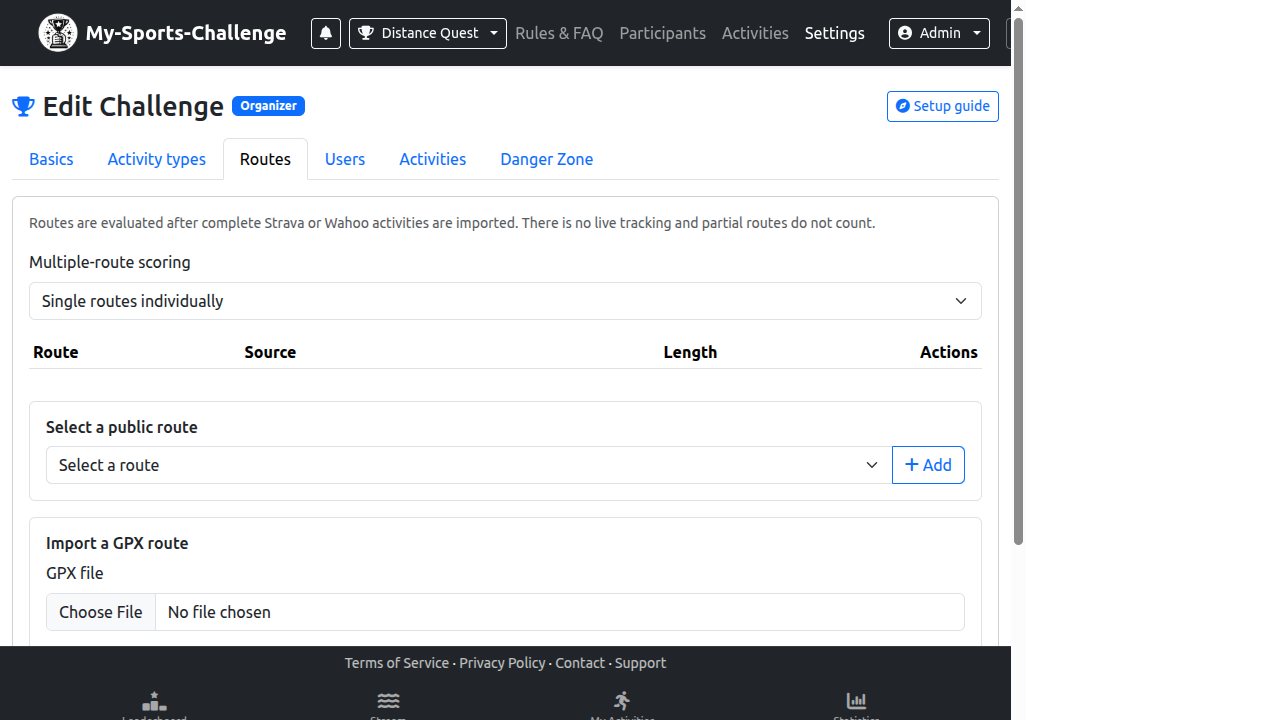
- Open the Routes tab and select a public route or import a GPX segment.
- Preview the route, check its direction, and save the route snapshot.
- Review eligible activity types and explain that only complete imported matches qualify.
Häufige Fehler
- Inviting participants before saving a route snapshot.
- Uploading a GPX file with the direction opposite to the intended course.
- Expecting partial routes or manual entries to produce route results.
Bereit zum Erstellen? Choose Route Time Trial, then add and verify the route before inviting participants.
Challenge erstellen